
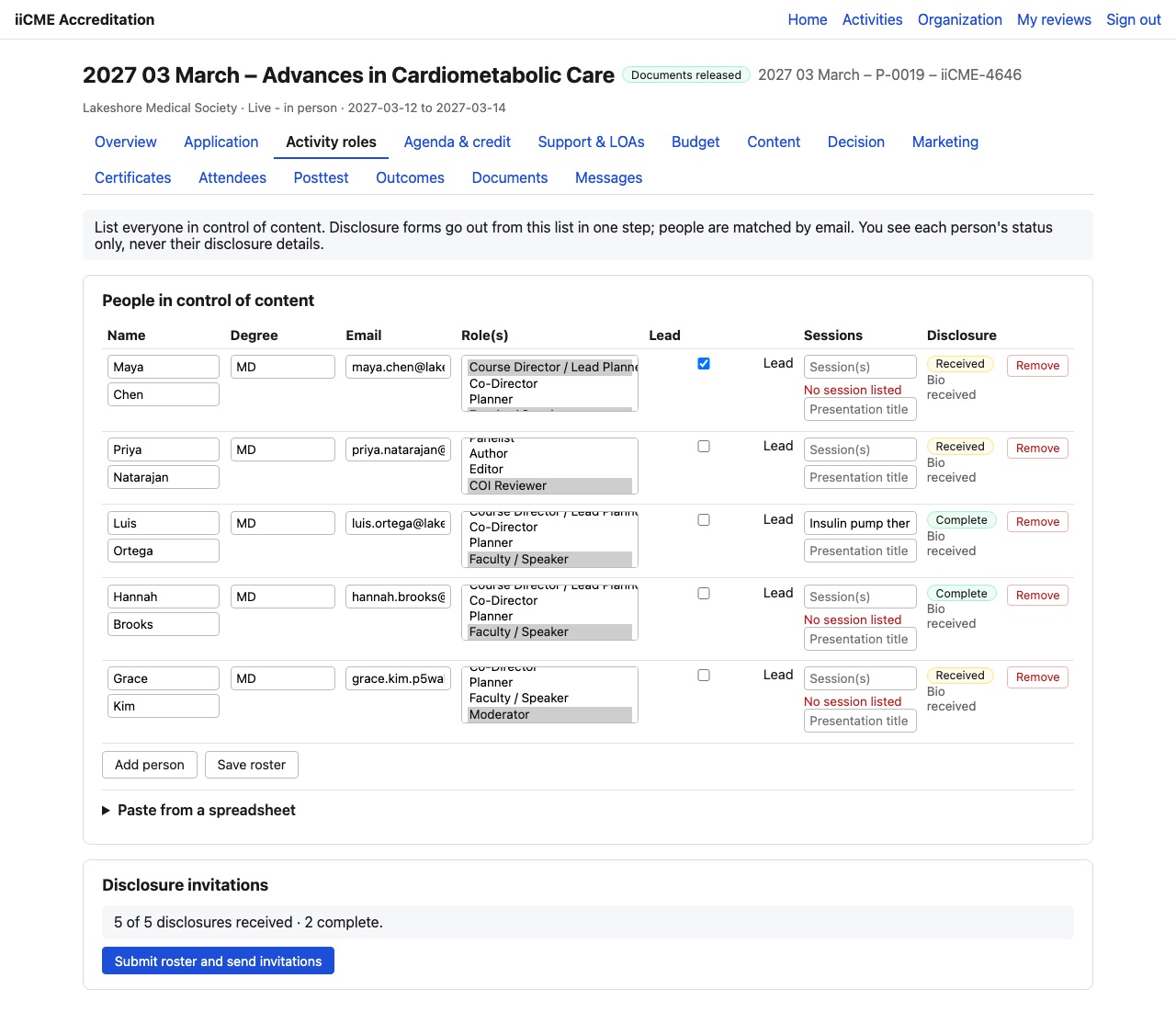
ACCME requires a disclosure from everyone in control of the educational content: course directors, planners, faculty, moderators, panelists, authors, reviewers and staff who control content. The Activity roles tab is where you list these people and send them their disclosure forms.
Add people
- Click Add person and fill in the name, degree and email. People are matched by email, so someone who already disclosed for another activity is recognized.
- Choose one or more roles: Course Director / Lead Planner, Co-Director, Planner, Faculty / Speaker, Moderator, Panelist, Author, Editor, COI Reviewer, Content / Peer Reviewer, Staff (controls content), Staff (administrative only), iiCME Staff or Other.
- Tick Lead for the lead planner.
- For faculty, add the sessions they present.
- Click Save roster.
To add many people at once, use Paste from a spreadsheet.
Send the disclosure invitations
Click Submit roster and send invitations. Each person receives an email with a personal link to their disclosure form (see For faculty, planners and reviewers: how to complete your disclosure). Only the newest link for a person works.
Track the disclosures
The Disclosure column shows each person’s status, for example Received, Under review or Complete, and whether their bio has been received. The summary under the table counts received and complete disclosures.
You see each person’s status only, never their disclosure details. Financial relationships are confidential: only the individual and iiCME’s disclosure reviewers can see them. If someone has a relevant financial relationship, iiCME documents how it is mitigated before that person’s role begins.
Remove someone with Remove if they no longer have a role. Their signed disclosure stays on file.
Need help?
Send a message from the activity’s Messages tab, or email the iiCME Accreditation Team at client.support@iicme.com. For the full series, see Accreditation Portal guide: start here.
Screenshots show a fictional demonstration organization, “Lakeshore Medical Society.” Your portal shows your own organization and activities.