
After the activity, iiCME needs a few final items to close the file. The Outcomes tab holds the outcomes report and the post-activity files. The Overview checklist shows everything still missing.
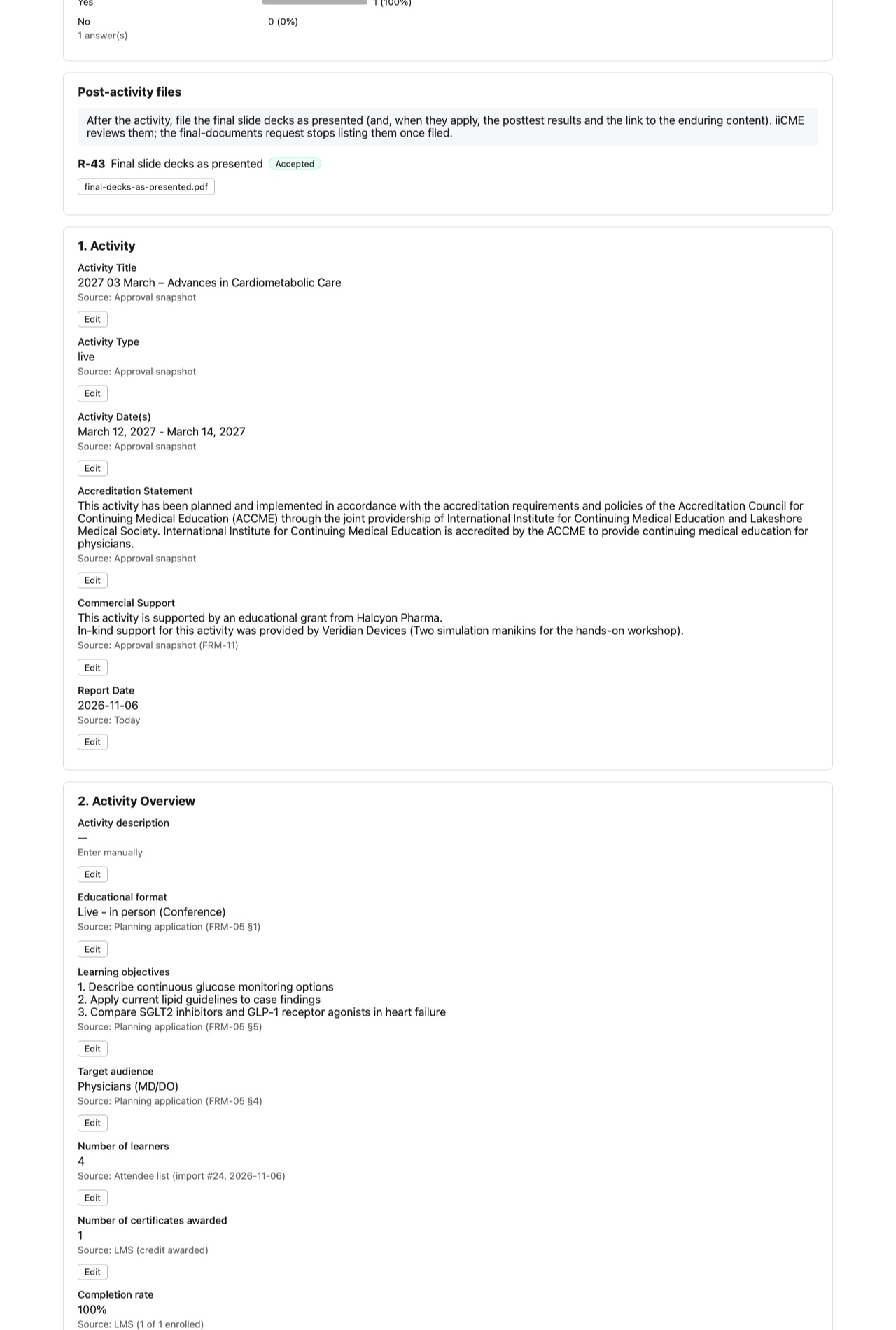
Outcomes report
The report is filled in for you from the approval, the planning application, the attendee list and the learner evaluations, and each value shows where it came from. It covers the activity, its overview and objectives, learner demographics, participation, satisfaction, achievement of objectives, knowledge and competence improvement, intended practice change, anticipated patient impact, barriers to change and qualitative feedback.
- Click Edit on any value to change it, with a note. The original value stays on record.
- Values with no source say Enter manually.
- Export PDF files the report in the activity record. Export DOCX gives you an editable copy.
An outcomes report is needed only when you submit one to a grantor or purchased one. Otherwise the checklist item is marked Not applicable.
Post-activity files
File the final slide decks as presented. When they apply, also file the posttest results and the link to the enduring content. iiCME reviews each item. The final-documents reminder iiCME sends stops listing an item once it is filed.
Other after-the-activity items
- The final attendee list: see How to upload your final attendee list
- Final marketing materials and the evidence that the statements reached learners: see How to submit marketing for review and share the accreditation statements
- The budget reconciliation: see How to complete and submit your activity budget
Closeout
When every item is accepted or waived, iiCME files the certificate records, reports the activity to the ACCME (PARS), confirms the invoice is paid and closes the activity. The status becomes Closed, and the record is kept for at least six years.
Need help?
Send a message from the activity’s Messages tab, or email the iiCME Accreditation Team at client.support@iicme.com. For the full series, see Accreditation Portal guide: start here.
Screenshots show a fictional demonstration organization, “Lakeshore Medical Society.” Your portal shows your own organization and activities.