
The Certificates tab shows how certificates are issued for the activity and gives you what to share with learners.
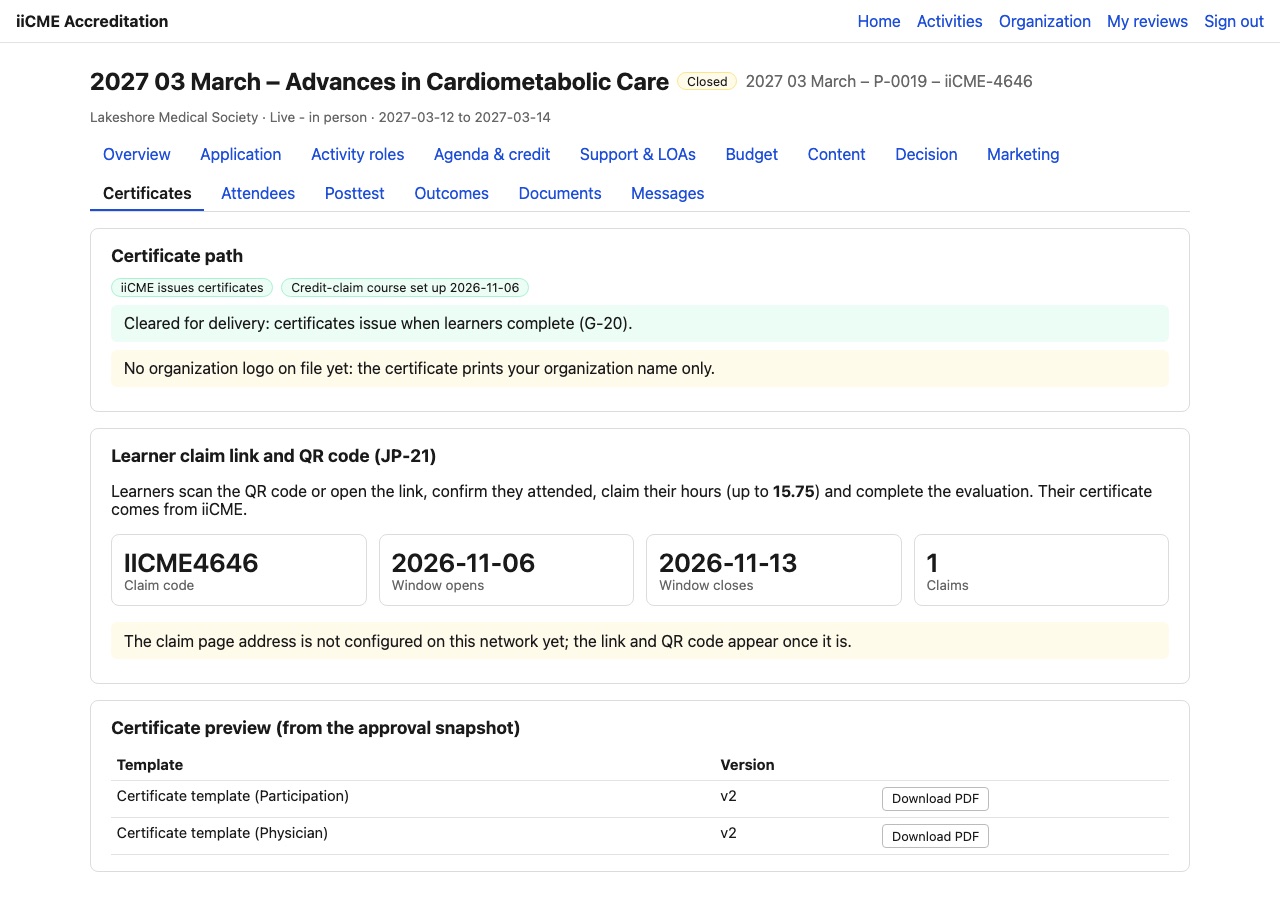
Certificate path
- iiCME issues certificates: learners claim their credit through iiCME’s CE Credit Wallet. iiCME sets up the credit-claim course from the approval.
- Self-certification: if you chose to issue certificates from your own learning system in the application, you issue them using iiCME’s certificate templates and evaluation.
Certificates are issued only once the activity is cleared for delivery, which means every requirement needed before launch is in place.
If no organization logo is on file, the certificate prints your organization’s name only. Send your logo to iiCME to add it.
Learner claim link and QR code
Share the claim code (for example IICME4128), the claim link and the QR code with learners at the activity. Learners scan the code or open the link, confirm they attended, claim their hours (up to the approved maximum) and complete the evaluation. Their certificate comes from iiCME.
The tab also shows when the claim window opens and closes, and how many learners have claimed so far.
In the demonstration screenshot the link and QR code are not shown. In your portal they appear in this box.
Certificate preview
Download the Participation and Physician certificate templates as PDFs to see exactly what learners will receive. Physicians receive a certificate for AMA PRA Category 1 Credits™; other professions receive a certificate of participation.
Posttest
If your application planned a posttest (usually for enduring activities), it is set up on the Posttest tab. For live activities without a posttest, that tab says so.
Need help?
Send a message from the activity’s Messages tab, or email the iiCME Accreditation Team at client.support@iicme.com. For the full series, see Accreditation Portal guide: start here.
Screenshots show a fictional demonstration organization, “Lakeshore Medical Society.” Your portal shows your own organization and activities.