
When the application, roster, disclosures, agenda, support and budget are complete, iiCME reviews the activity and records the accreditation decision. You receive an email, and the Decision tab shows the result. Until then it shows the current status.
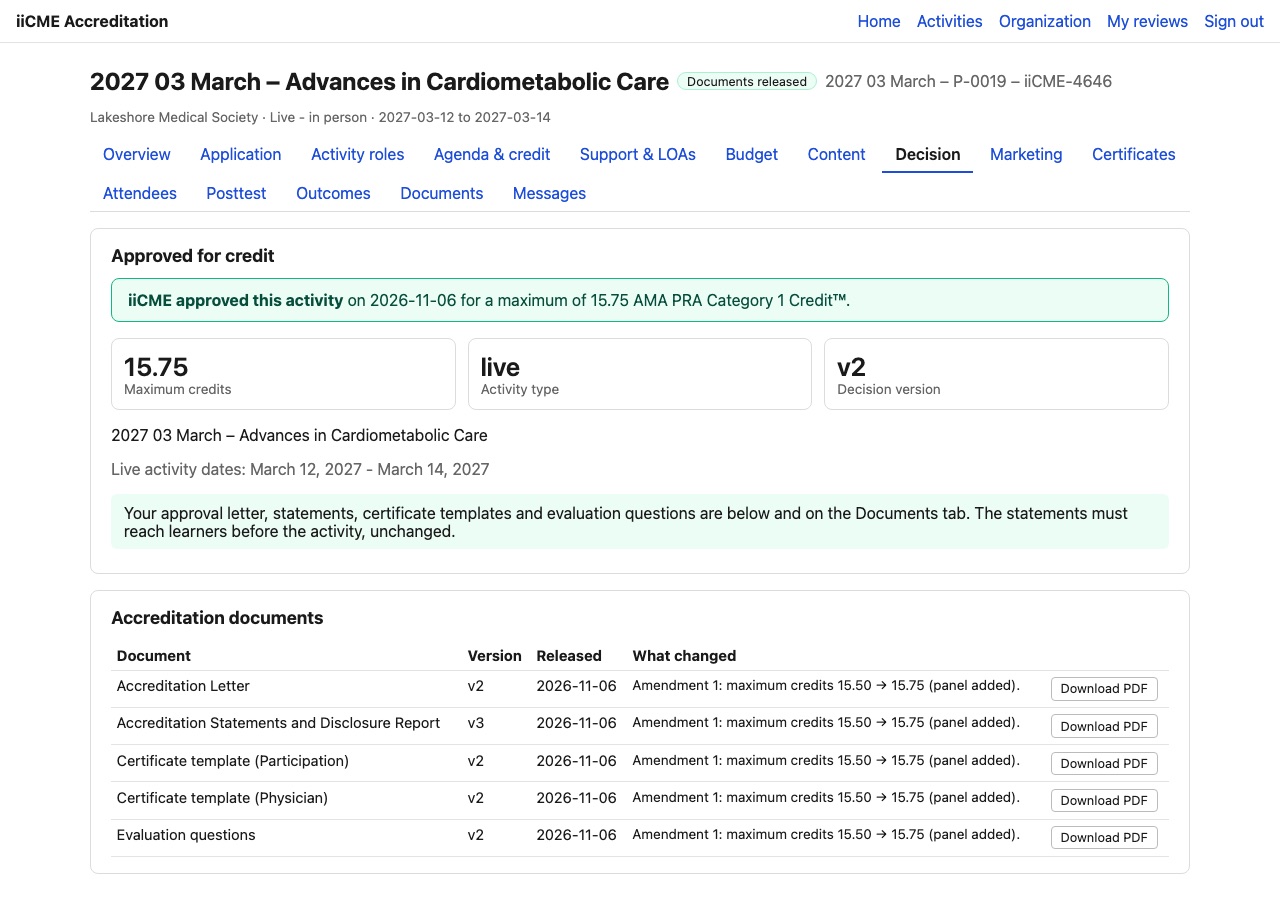
What the Decision tab shows
- Approved for credit, with the date and the maximum credits (for example 15.75 AMA PRA Category 1 Credits™)
- The activity type, the decision version and the activity dates
- Accreditation documents, each with a Download PDF button:
- Accreditation Letter
- Accreditation Statements and Disclosure Report
- Certificate templates (Participation and Physician)
- Evaluation questions
The approved values come from a fixed snapshot of the approval, so the letter, statements and certificates always match what iiCME approved.
Using the statements
The accreditation and disclosure statements must reach learners before the education starts, unchanged. The Marketing tab gives you the exact text to copy: see How to submit marketing for review and share the accreditation statements.
Changes after approval
If something changes after approval (the title, the credits, a commercial supporter or a faculty member with a relevant relationship), tell iiCME. iiCME records an amendment and releases new versions of the documents. The What changed column says why, for example “Amendment 1: maximum credits 15.50 → 15.75 (panel added)”.
Need help?
Send a message from the activity’s Messages tab, or email the iiCME Accreditation Team at client.support@iicme.com. For the full series, see Accreditation Portal guide: start here.
Screenshots show a fictional demonstration organization, “Lakeshore Medical Society.” Your portal shows your own organization and activities.