
iiCME reviews all educational content before launch to make sure it is free of commercial bias and that its clinical recommendations are valid. The Content tab is where you upload your content and follow its review.
Upload content
Upload final content at least 14 days before the activity starts. Under Upload content:
- What are you uploading? Presentation slides, video recording, handout, case materials, print material or abstract.
- Session: the agenda session it belongs to, or “Not tied to a session”.
- Title and File.
- Confirm both statements: the file contains no logos, trade names or marketing from ineligible companies, and it does not include a disclosure slide (iiCME provides the disclosure language).
- Upload.
Review status
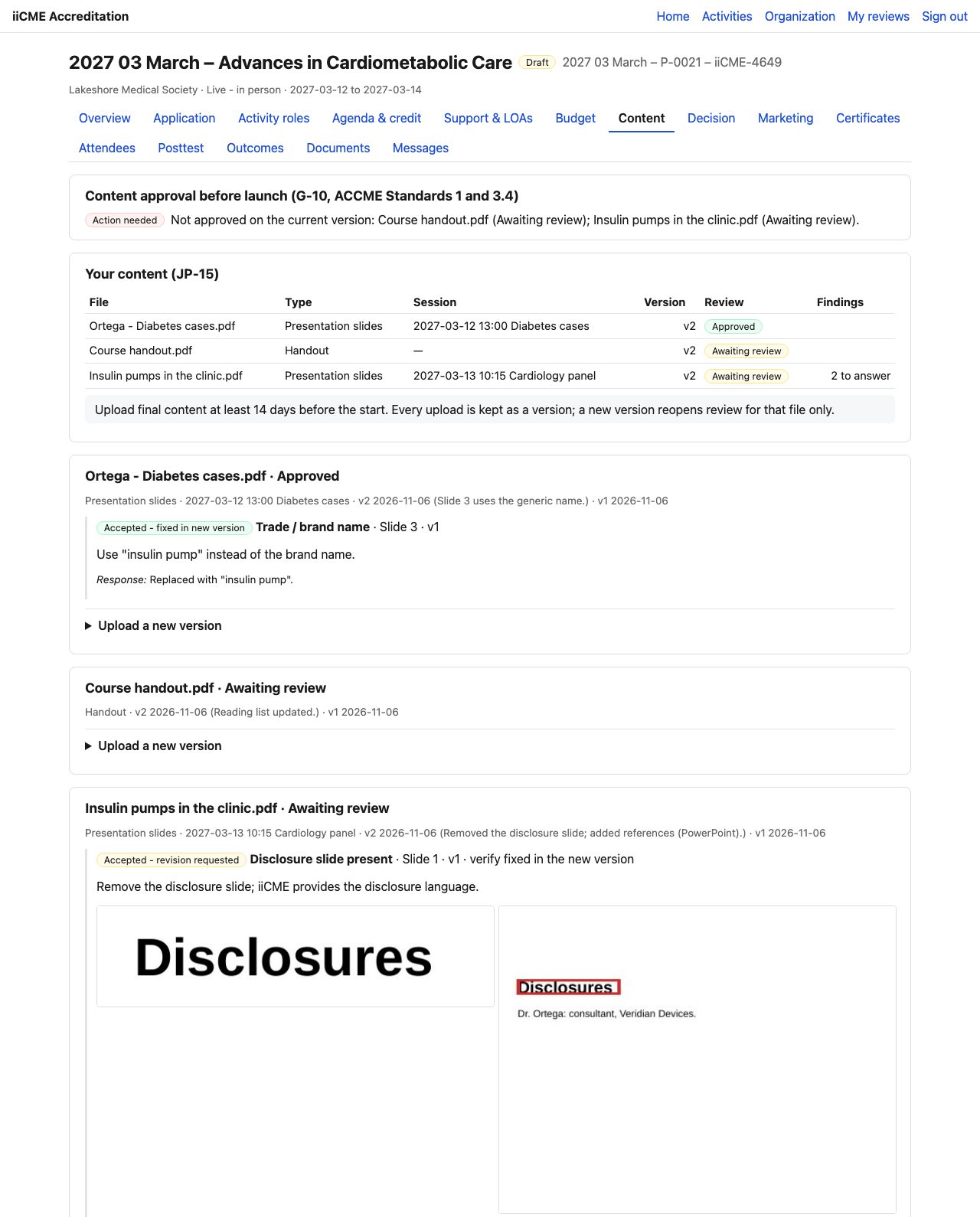
Each file shows its type, session, versions and review status: Awaiting review, Approved or with findings to answer. The box at the top says whether all content on its current version is approved. Action needed lists the files that are not.
Respond to findings
When a reviewer finds something to fix, the finding appears under the file with its type, location and instruction, for example Trade / brand name · Slide 3: Use “insulin pump” instead of the brand name.
- Click Respond to explain what you changed (or why no change is needed).
- Click Upload a new version to replace the file with the corrected one and add a note on what changed.
Every upload is kept as a version. A new version reopens review for that file only. Files cannot be deleted.
Need help?
Send a message from the activity’s Messages tab, or email the iiCME Accreditation Team at client.support@iicme.com. For the full series, see Accreditation Portal guide: start here.
Screenshots show a fictional demonstration organization, “Lakeshore Medical Society.” Your portal shows your own organization and activities.