
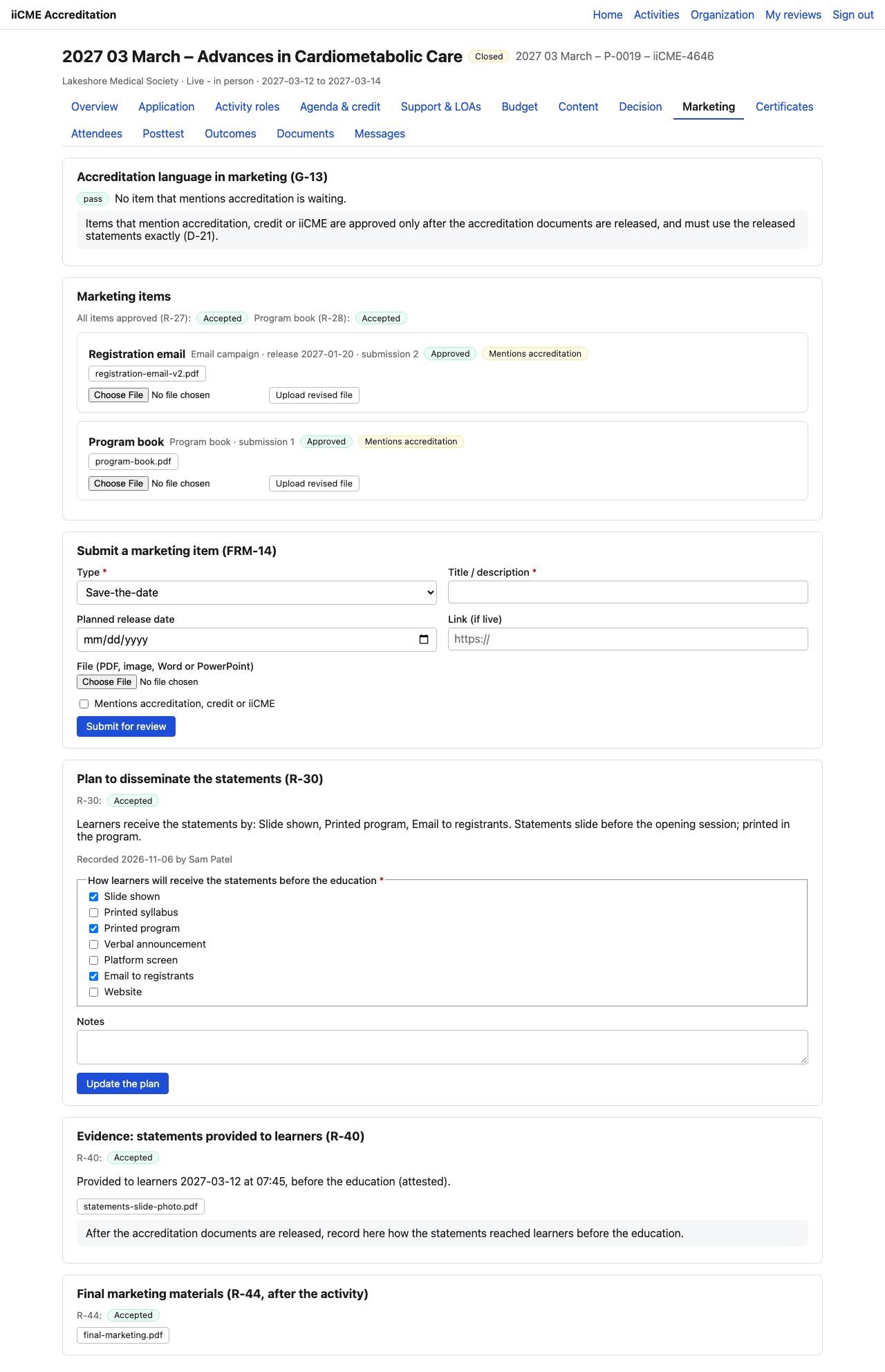
Anything that mentions accreditation, credit or iiCME (save-the-dates, emails, web pages, brochures, program books) must be reviewed by iiCME. It can be approved only after the accreditation documents are released, and it must use the released statements exactly.
Copy the released statements
Once the documents are released, the Released statements box shows the accreditation statement, the credit designation, commercial support acknowledgments and the disclosure report. Use Copy rich text or Copy plain text and paste them into your materials without changes.
Submit a marketing item
- Type: save-the-date, email campaign, website page / screenshot, social media post, brochure / flyer, program book, registration page or other
- Title / description and planned release date
- Link, if the item is already live, and the file (PDF, image, Word or PowerPoint)
- Tick Mentions accreditation, credit or iiCME if it does.
- Click Submit for review.
Each item shows its review: pending, Revisions required with iiCME’s notes, or Approved. To revise, use Upload revised file. The program book is also checked to make sure exhibits and non-accredited content are kept separate from the education.
Plan how learners receive the statements
Under Plan to disseminate the statements, tick how learners will see the statements before the education (slide shown, printed syllabus or program, verbal announcement, platform screen, email to registrants, website), add notes, and click Save the plan.
Record the evidence
After the statements are given to learners, record under Evidence: statements provided to learners when and how it happened (it must be before the education starts) and attach proof, for example a photo of the statements slide.
After the activity
Upload your final marketing materials (emails, website screenshots, social posts, print) under the last box on the tab.
Need help?
Send a message from the activity’s Messages tab, or email the iiCME Accreditation Team at client.support@iicme.com. For the full series, see Accreditation Portal guide: start here.
Screenshots show a fictional demonstration organization, “Lakeshore Medical Society.” Your portal shows your own organization and activities.