
The planning application tells iiCME what the activity is, who plans it, why it is needed and how it will be run. Open the Application tab. The sections are listed on the left with their status (not started, draft or complete). Click a section to open it.
Your answers are saved as a draft each time you click Save section or Next section, so you can stop and come back. Fields marked with a red * are required before you can submit.
Section 1: Activity Description
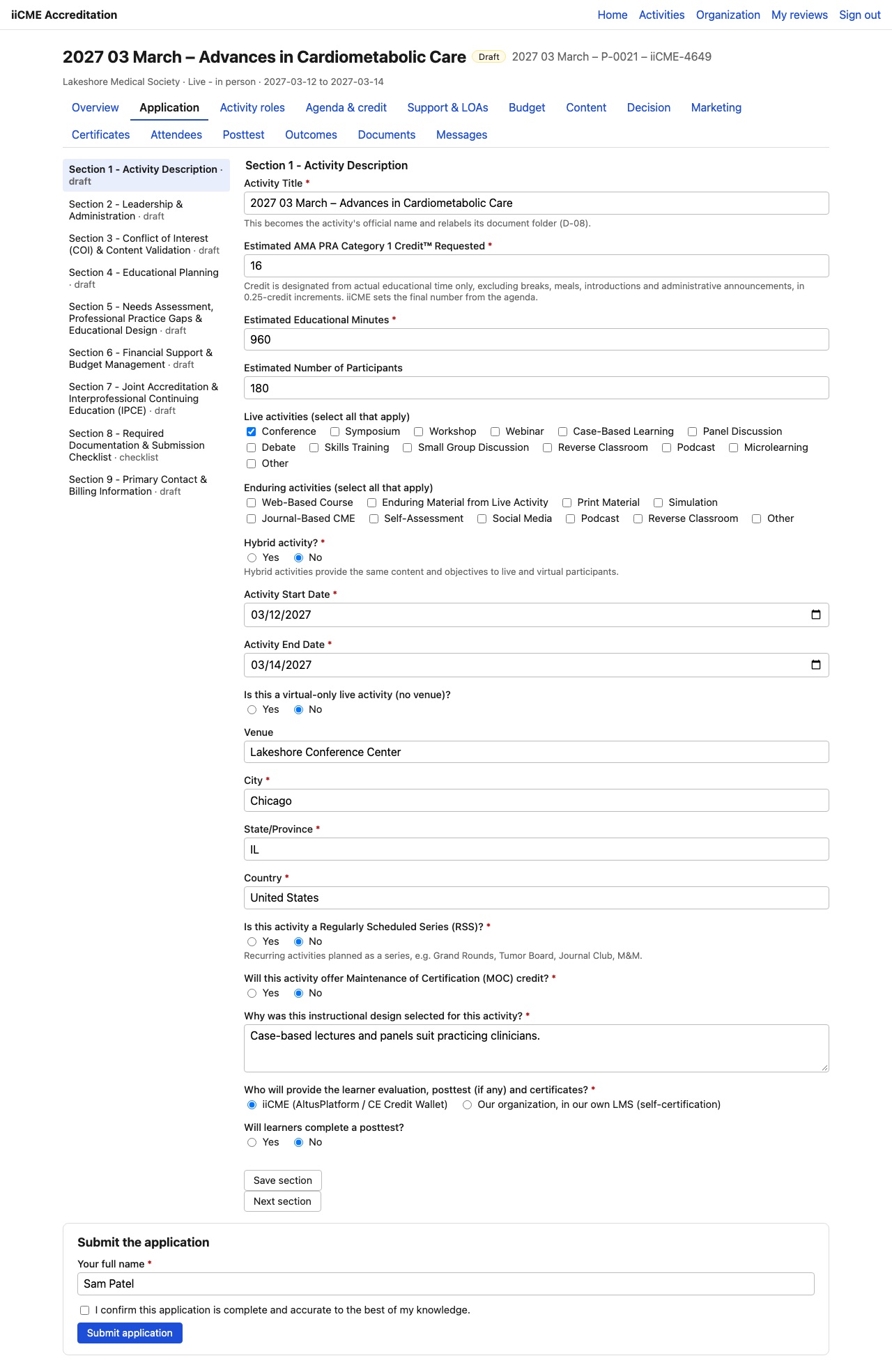
- Activity Title: the official name. It becomes the activity’s name everywhere, including the document folder.
- Estimated AMA PRA Category 1 Credit™ requested: credit counts actual educational time only, excluding breaks, meals, introductions and administrative announcements, in 0.25-credit steps. iiCME sets the final number from your agenda.
- Estimated educational minutes and estimated number of participants
- Live activities and Enduring activities: tick every format that applies (for example Conference, Workshop, Webinar; or Web-Based Course, Enduring Material from Live Activity).
- Hybrid activity? Hybrid means the same content and objectives for live and virtual participants.
- Activity start date and end date
- Is this a virtual-only live activity? If not, give the venue, city, state / province and country.
- Regularly Scheduled Series (RSS)? For example Grand Rounds, Tumor Board, Journal Club or M&M.
- Will this activity offer Maintenance of Certification (MOC) credit?
- Why was this instructional design selected?
- Who will provide the learner evaluation, posttest and certificates? Choose iiCME (AltusPlatform / CE Credit Wallet), or our organization, in our own LMS (self-certification).
- Will learners complete a posttest?
Section 2: Leadership & Administration
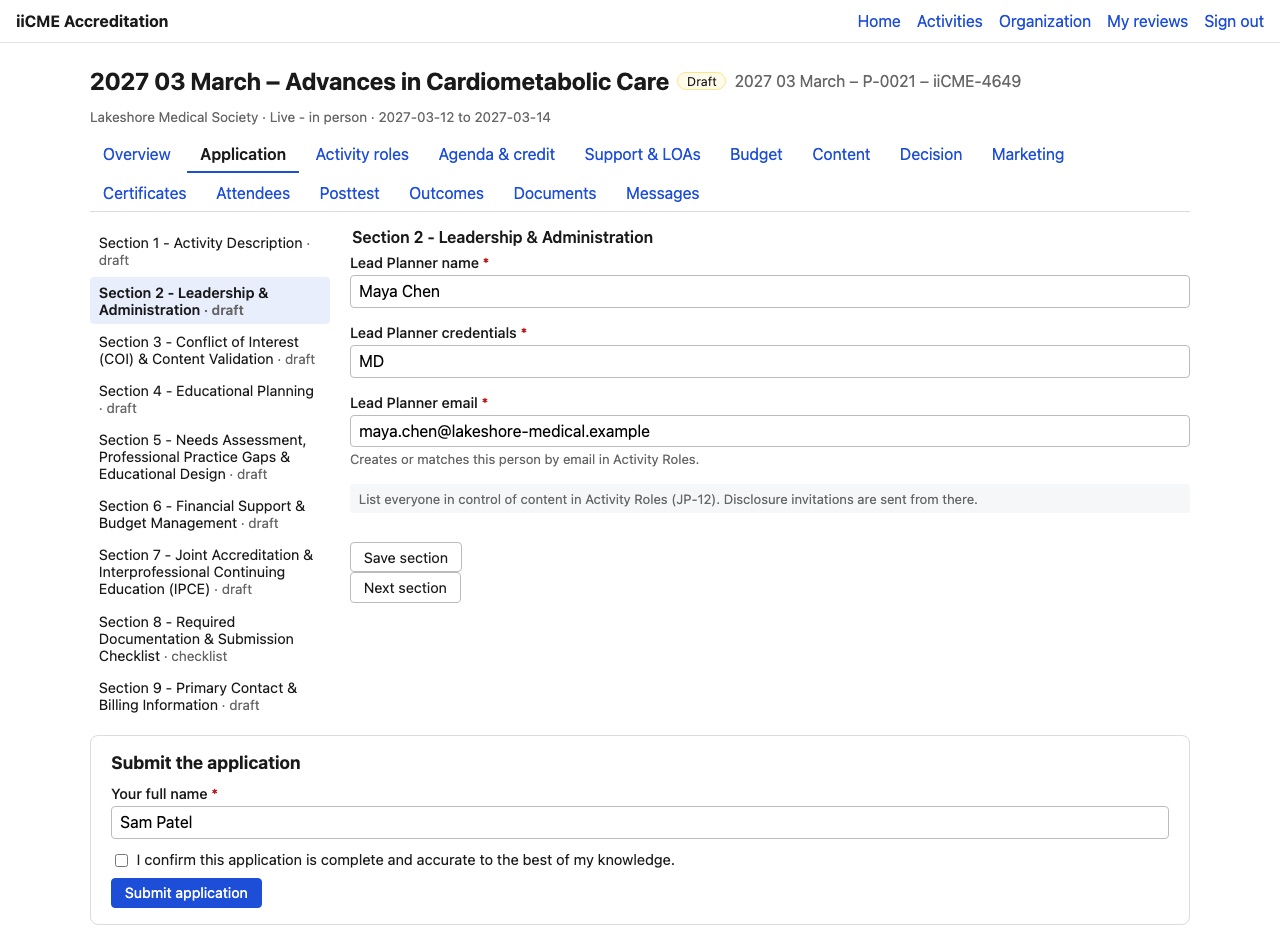
- Lead Planner name, credentials and email. The lead planner is added to (or matched by email in) the Activity Roles roster.
Everyone else in control of content (faculty, planners, moderators, reviewers) is listed on the Activity roles tab, which is also where disclosure invitations are sent. See How to list activity roles and send disclosure invitations.
Section 3: Conflict of Interest (COI) & Content Validation
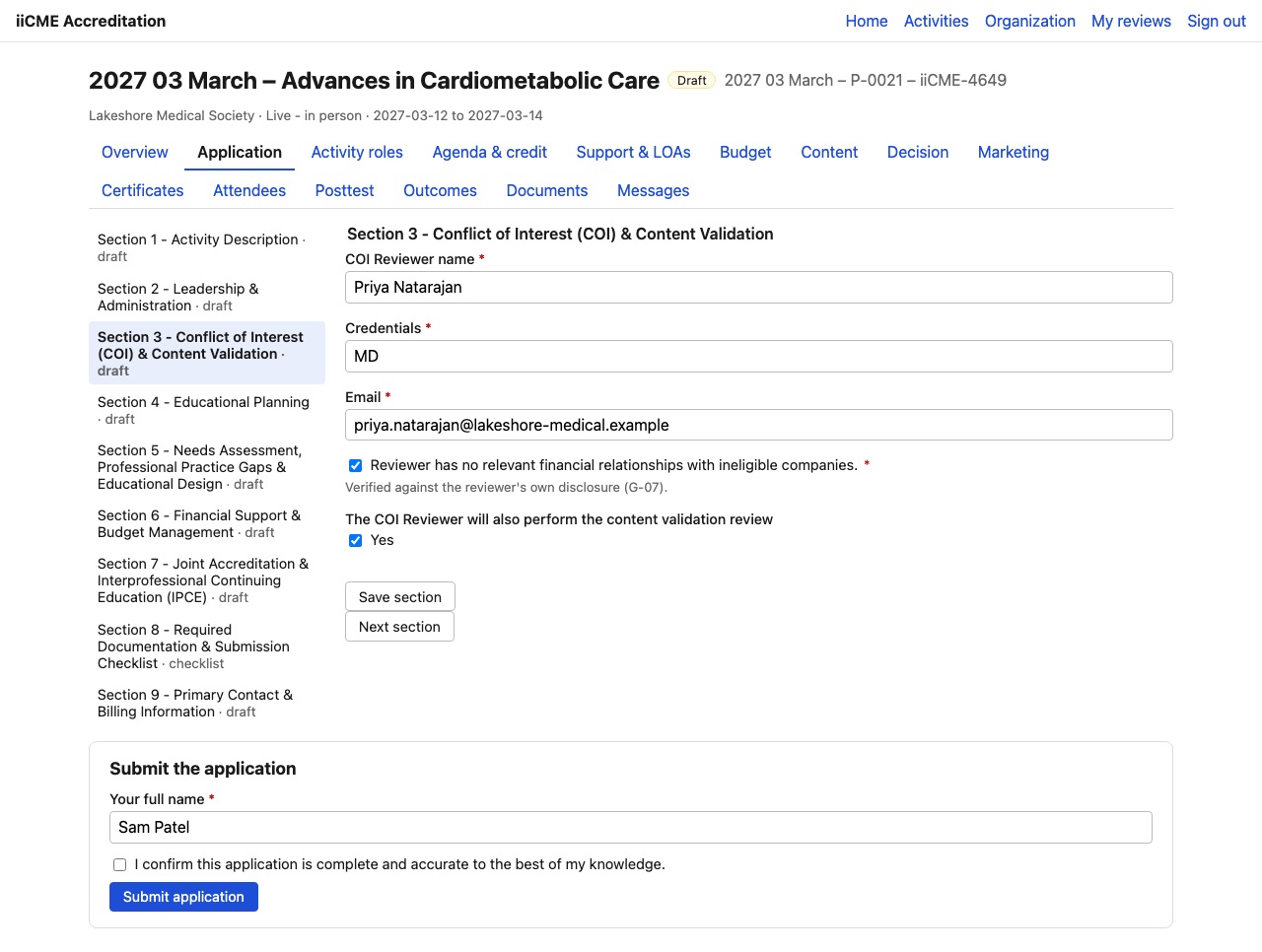
- COI Reviewer name, credentials and email
- Confirm that the reviewer has no relevant financial relationships with ineligible companies. iiCME checks this against the reviewer’s own disclosure.
- Will the COI Reviewer also perform the content validation review? If not, give the Content Reviewer’s name, credentials and email.
Continue with Planning application, part 2: Sections 4 to 6.
Need help?
Send a message from the activity’s Messages tab, or email the iiCME Accreditation Team at client.support@iicme.com. For the full series, see Accreditation Portal guide: start here.
Screenshots show a fictional demonstration organization, “Lakeshore Medical Society.” Your portal shows your own organization and activities.